Everything Gazoz does, on your machine.
From live on-device transcription to agents that act on your own knowledge base — every capability, in one place. Nothing leaves your computer.
Real-time transcription that never leaves your Mac
The best local models transcribe Hebrew and English live, right on your machine. No cloud, no uploads, and no one else’s servers. Your conversations stay yours.
- Best-in-class Hebrew & English
- Runs fully offline
- Live, low-latency
Screenshot
/transcription.mp4 Record the call, then jump to any moment in it
Gazoz records your meeting and links every word of the transcript to the moment it was said. Click any line to jump straight to that point in the recording, no scrubbing needed.
- Transcript-linked recording
- Click any line to navigate
- No bot joins the call
Screenshot
/recording.mp4 Summarize, extract, or anything: your workflow, your AI
Turn a raw transcript into a summary, action items, a follow-up email, or whatever you need. Build custom AI workflows that run on your own coding agent (Claude Code), fully customizable.
- Summaries & action items
- Customizable workflows
- Powered by your own AI agent
Screenshot
/features/ai-workflows.png 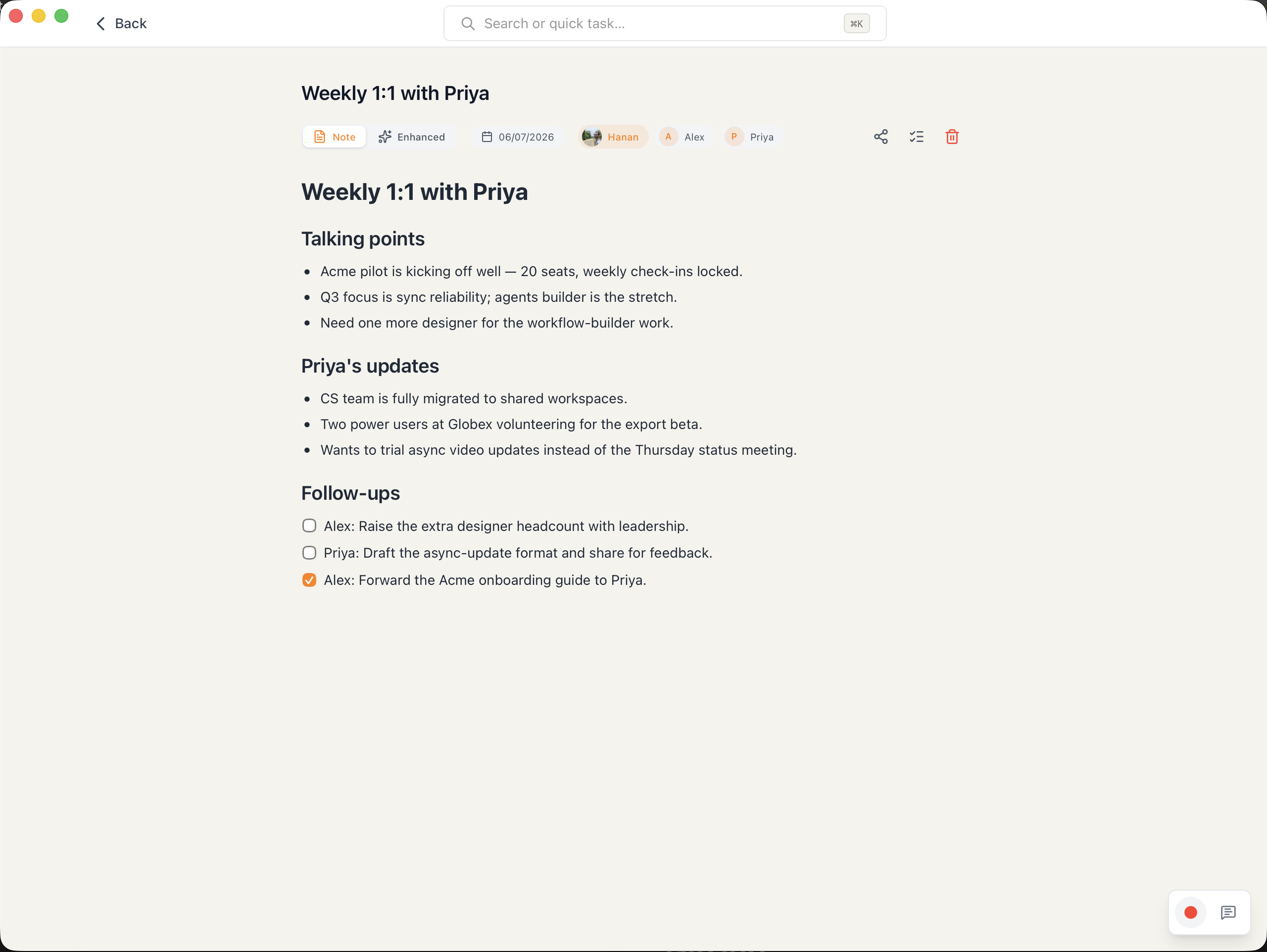
A knowledge base that lives in your GitHub
Every note and transcript is plain Markdown synced to your own Git repo. Your data is always yours: versioned, portable, and never locked in. It never leaves your computer unless you choose to sync it.
- Plain Markdown + Git
- Synced to your own repo
- Portable & versioned, no lock-in
Screenshot
/features/knowledge-base.png 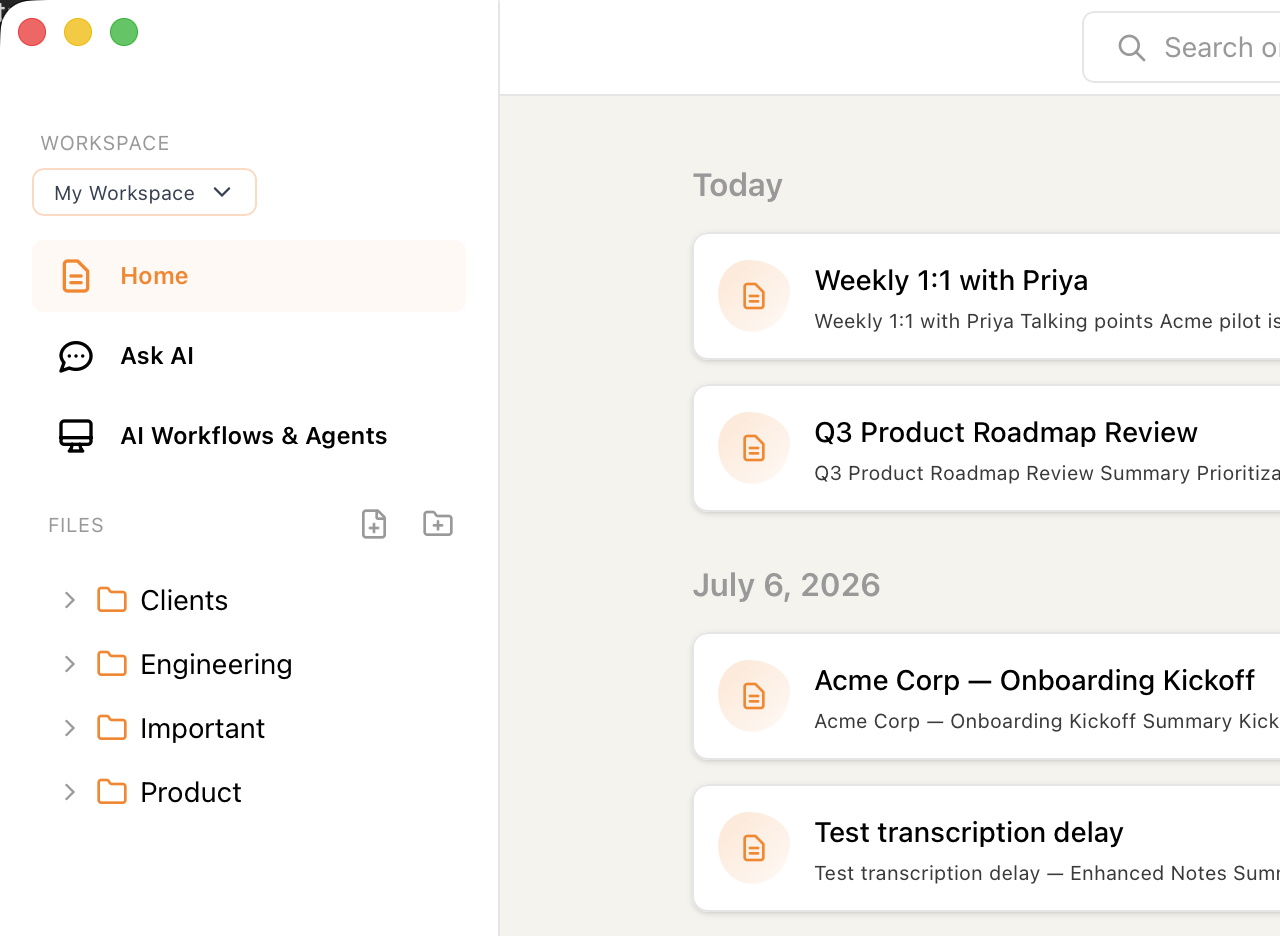
AI agents that act on your knowledge base
Agents read your knowledge base and get to work, triggered automatically by changes, whether a human or another AI made them. Real synergy between you, your notes, and your agents.
- Reads your knowledge base
- Triggered by human or AI changes
- Works in synergy with you
Screenshot
/features/agents.png 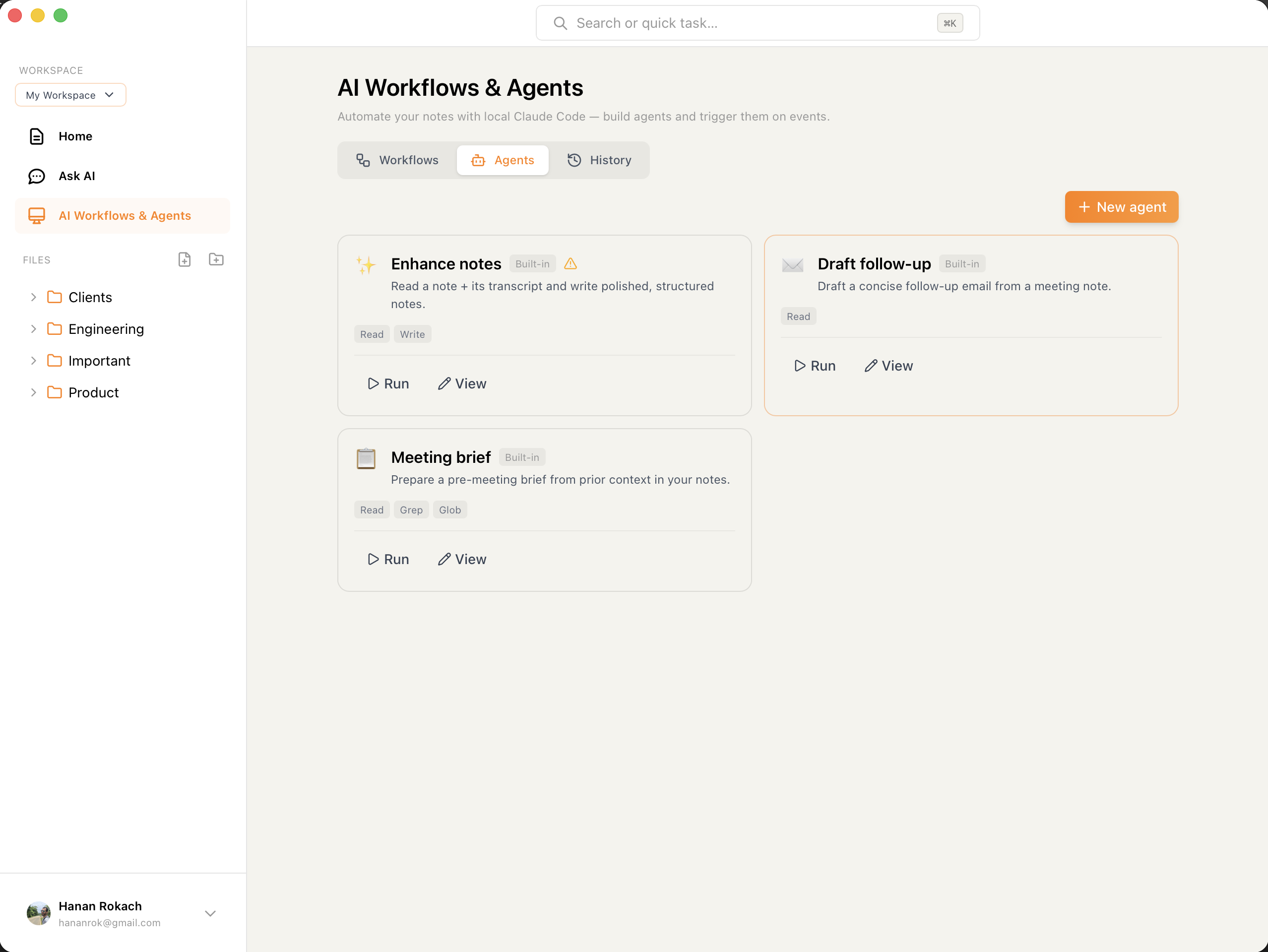
Built for Hebrew. Perfected for English.
Most transcription tools treat Hebrew as an afterthought. Gazoz was built from the ground up with Hebrew as a first-class language, delivering accuracy others can't match, all running locally on your Mac.
שלום, ברוכים הבאים לפגישה של היום. אנחנו הולכים לדבר על ההתקדמות בפרויקט ועל השלבים הבאים...
Welcome everyone to today's meeting. We're going to discuss the project progress and outline our next steps moving forward...
Works with every meeting — calendar optional
Because Gazoz transcribes system audio, it captures any call on your Mac, with no per-app plugins and no bots. Transcription stays 100% on your Mac. Google Calendar is optional for meeting detection and naming.
Any app, zero setup
Zoom, Meet, Teams, a phone call, or an in-person meeting: if it plays on your Mac, Gazoz can transcribe it.
No plugins. No bot joining the call. System-audio transcription works everywhere.
Google Calendar (optional)
Completely optional. Connect your calendar and Gazoz can detect when meetings start and link recordings to events — transcription never requires it.
- Optional — never required for transcription
- Auto-detects your meetings
- Links recordings to calendar events
Plus everything you'd expect
The details that make Gazoz a joy to use every day.
Hebrew & English
Hebrew as a first-class language with best-in-class accuracy, plus full English support. Switch seamlessly.
No Bot in the Call
Record and transcribe directly from your computer, with no bot joining the meeting. Nobody will know you're recording.
Speaker Diarization
Know who said what. On-device speaker diarization labels each speaker automatically.
Screen & Window Recording
Capture your full display or a single app window with system audio, all kept on your machine.
Global Mode
Gazoz detects when a meeting starts and alerts you so you never miss a recording. A floating toolbar lets you transcribe from anywhere.
Private by Default
Everything runs locally. No account required, no audio uploaded, and it works fully offline. Your data stays yours.
Available on Your Devices
macOS
Full-featured desktop app with display recording, agentless transcription, and global mode.
iOS
Record and transcribe on the go, right from your iPhone. Coming soon.
Windows
Coming soon. Join the waitlist to get notified.
Download Gazoz
Be among the first to try Gazoz. Free, private, and 100% local on your Mac. No credit card required.
Early access to workspaces + advanced workflows later.
Signed & notarized by Apple — v0.1.1.